Hey readers,
I still remember my first “real” system design interview. I was ready to code algorithms, but then the interviewer asked me how I’d handle a payment retry without charging the customer twice. I froze. I knew how to write code, but I didn’t fully grasp the architectural glue that holds big systems together.
That glue is APIs.
APIs look messy when you stare at a massive distributed system diagram. But here’s the secret: the whole thing usually boils down to a handful of core ideas. Once you get these sixteen concepts down, you stop seeing “complexity” and start seeing patterns.
Naima: You can get our PDFs from the bottom of this post, that include detailed learning roadmaps for AI Agents, frontend and backend web development, complete with suggested study timelines and links to books, YouTube tutorials, and certificate courses.
Whether you are preparing for a backend interview or trying to explain to a junior dev why we can’t just “return all the data at once,” this guide is for you.
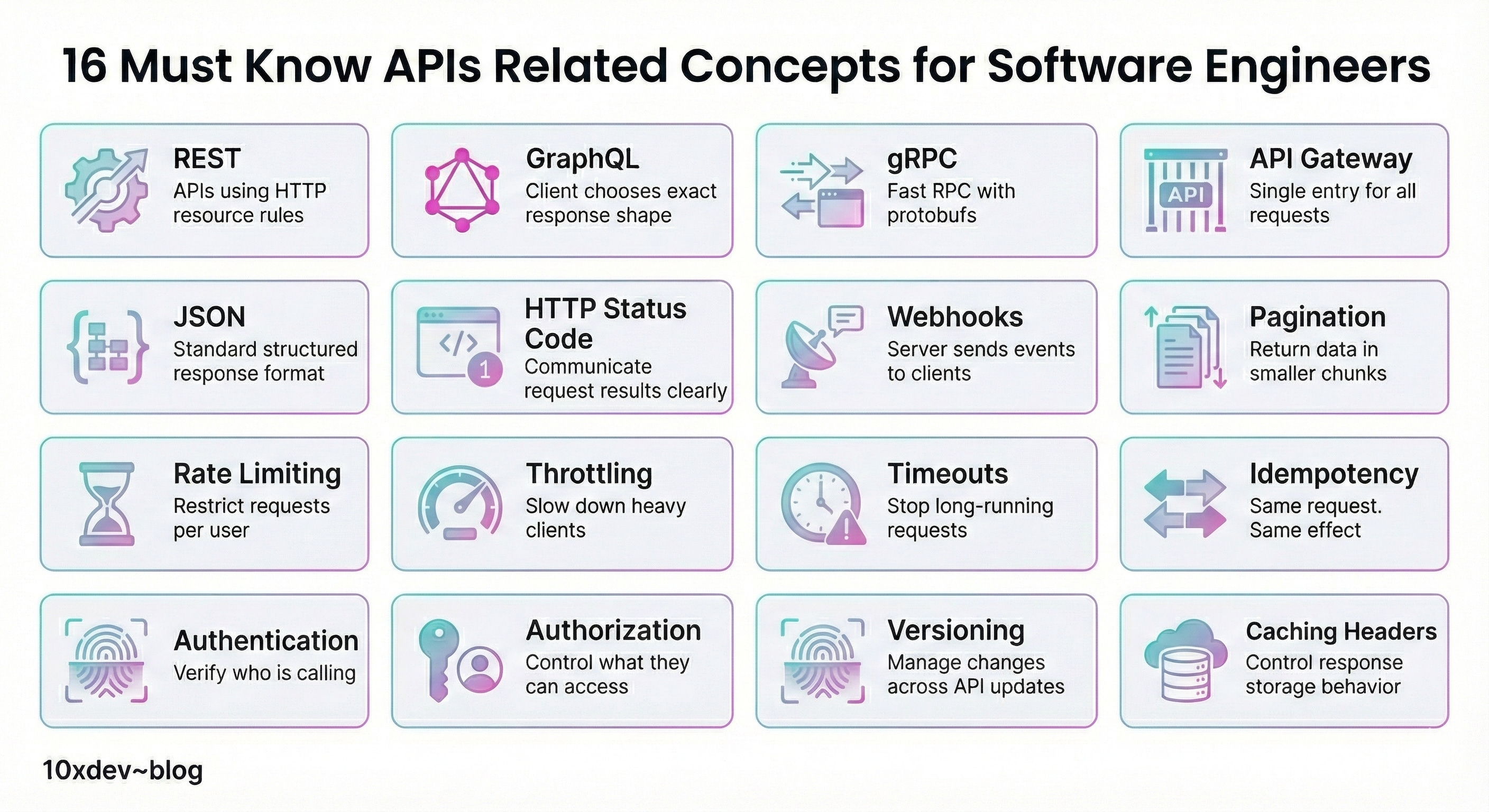
This a breakdown of 16 essential API concepts every software engineer should understand, followed by clear explanations for each.
Let’s get into the mechanics of how modern systems actually talk to each other.
The “Big Three” Communication Styles
Before we worry about data formats or security, we have to decide how our servers are going to exchange information.
Naima: There isn’t a single “best” way, just the right tool for the job.
1. REST (The Reliable Standard)
Think of REST (Representational State Transfer) as the plain English of the web. It’s what you’ll see 90% of the time. A REST API lets a client talk to a server using standard HTTP actions that actually mean what they say.
-
GET: “Give me this data.”
-
POST: “Create this new thing.”
-
PUT: “Update this existing thing.”
-
DELETE: “Get rid of this.”
Naima: Imagine an online bookstore. You hit GET /books to see the catalog. You hit POST /books to add a new title. It’s predictable. Each URL is a specific “resource” (like a user or a product), and the server usually hits you back with JSON. Because it works across browsers, mobile apps, and backends without fuss, it’s usually the default choice for public APIs.


2. GraphQL (The “Picky Eater”)
REST is great, but it has a habit of over-sharing. You ask for a user’s profile, and it sends you their name, address, shoe size, and purchase history—even if you just wanted their name.
GraphQL changes that dynamic. It lets the client ask for exactly what it needs, and nothing else.
Why it matters:
Say you’re building a mobile app. Bandwidth is tight. Instead of making three different REST calls to get a user’s name, their last order, and their wishlist, you send one GraphQL query. You define the shape of the data, and the server fills it in. This cuts down on round trips and keeps your mobile app snappy.
3. gRPC (The Speed Demon)
If REST is a polite conversation and GraphQL is a specific order, gRPC is a high-speed binary stream. It’s rarely used in browsers but is a powerhouse for backend services talking to other backend services.
It uses Protobufs (Protocol Buffers) instead of text-based JSON. This binary data is tiny and incredibly fast to parse.
When to use it:
I worked on a system once where a recommendation engine had to talk to a ranking service thousands of times. JSON was too slow. We switched to gRPC, and the latency dropped like a rock. It supports streaming and strict type checks, making it safer and faster for internal microservices.
The Gatekeepers: Control & Security
Once your API is live, you can’t just let anyone walk in and do whatever they want. You need bouncers.
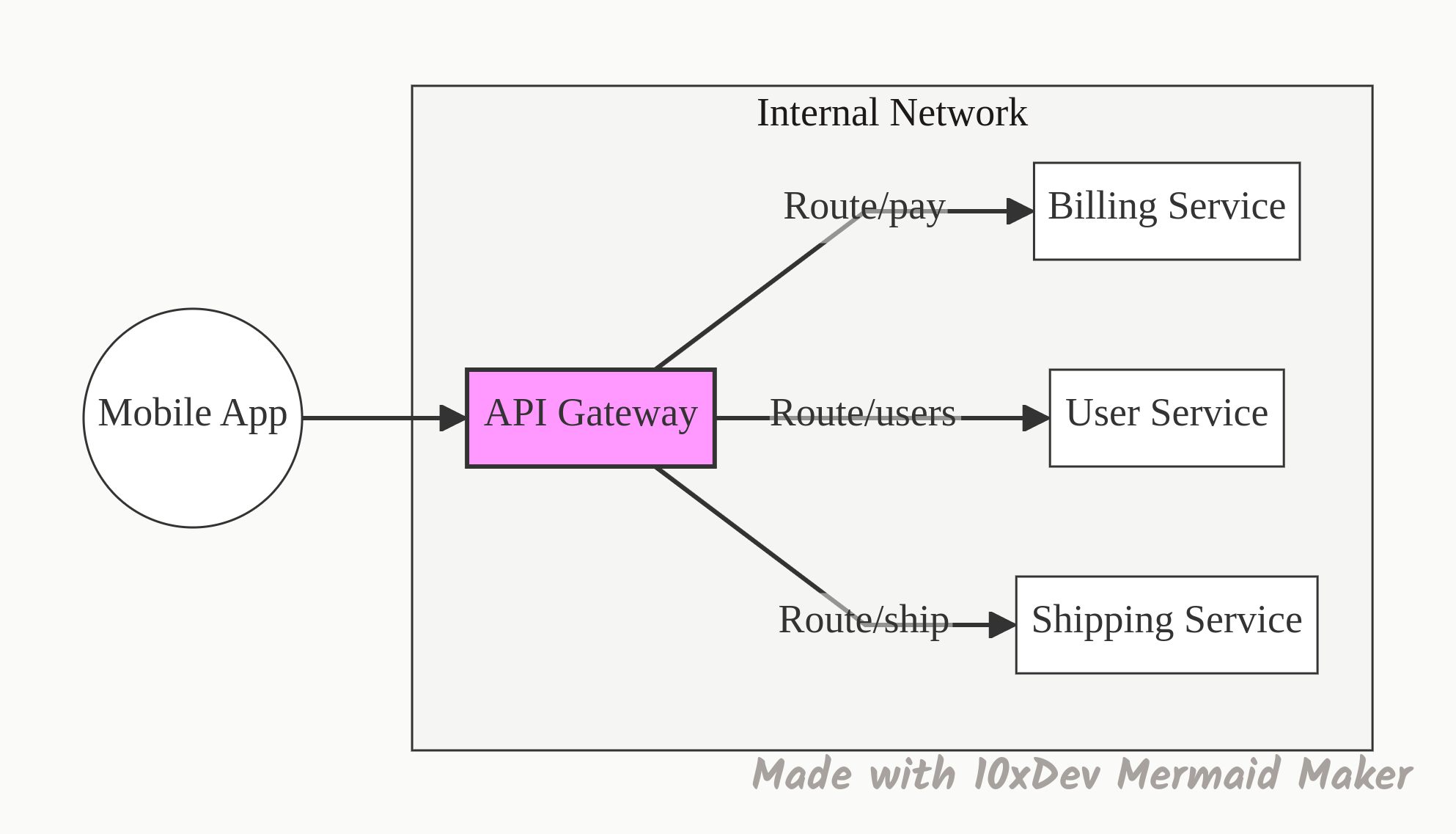
4. API Gateway
In a microservices architecture, you might have fifty different services (Billing, Users, Inventory, Shipping). You definitely don’t want your mobile app trying to keep track of many addresses.
An API Gateway is the single entry point. It sits in front of everything.
-
Routing: It sends the request to the right service.
-
Security: It handles the login check so the individual services don’t have to.
-
Housekeeping: It handles rate limits and logging.
It keeps your backend organized and your clients happy because they only need to know one URL.
5. Authentication (Who are you?)
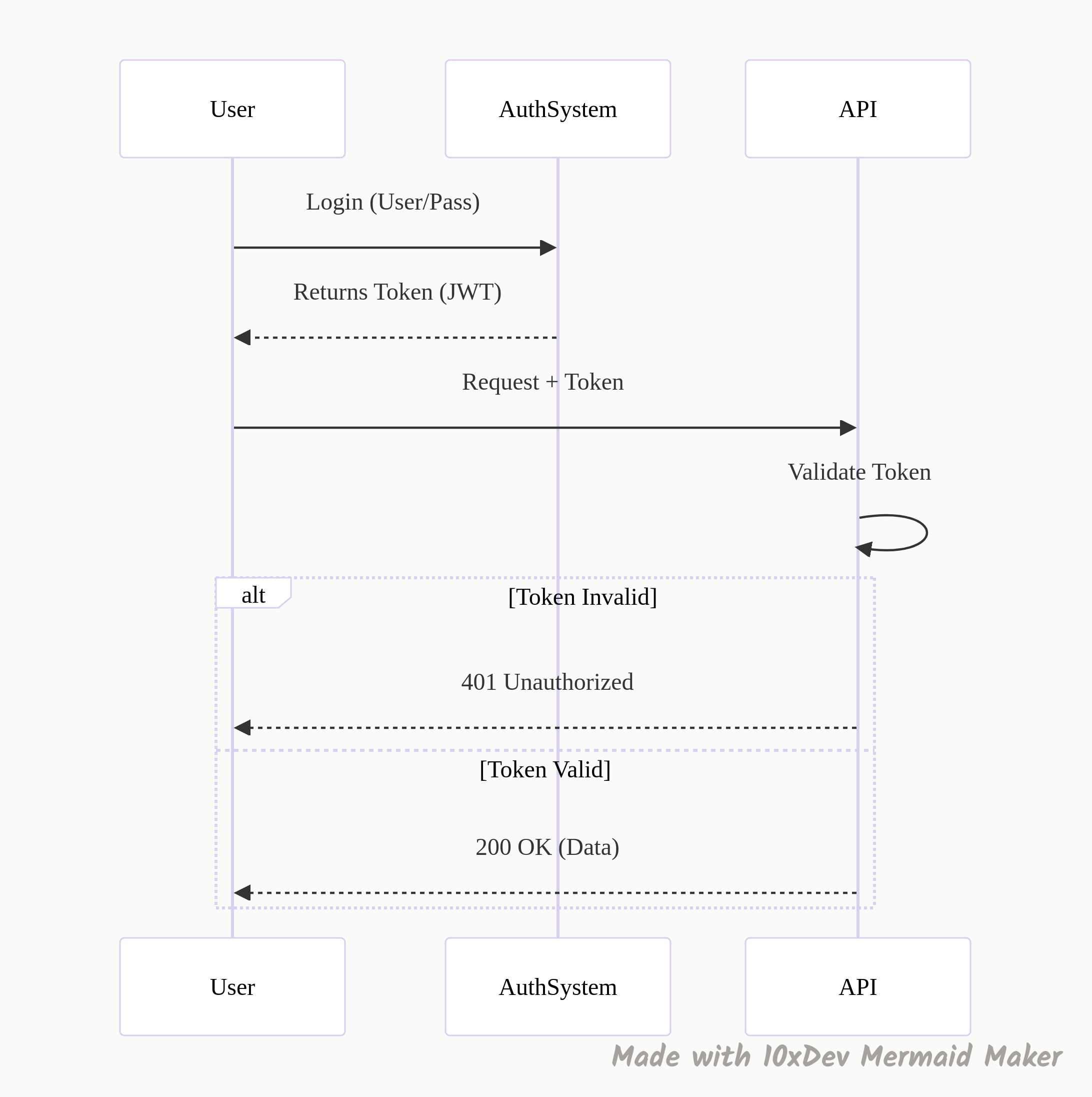
This is security step one. Authentication is simply the system asking, “ID, please.” We usually verify this using tokens (like JWTs), passwords, or API keys.
If you don’t have a valid token, you don’t get in. The request is rejected immediately (usually with a 401 status code) before it even touches any business logic.
6. Authorization (What are you allowed to do?)
Here is where people get mixed up. Authentication says you are John Doe. Authorization says what John Doe is allowed to touch.
The difference:
I might log in (Authentication successful), but if I try to delete the production database, the system stops me (Authorization failed).
-
Regular User: Can edit their own profile.
-
Admin: Can edit any profile.
Both are authenticated, but their permissions differ.
7. Rate Limiting
Imagine your service is a nightclub with a fire code capacity. Rate limiting restricts how many requests a user can send in a specific timeframe (e.g., 100 requests per minute).
If a user—or a bot—tries to hammer your API with 1,000 requests in a second, the rate limiter steps in and blocks the extras.
Naima: This is non-negotiable for public APIs to prevent abuse and keep costs in check.
8. Throttling
Throttling is the polite cousin of rate limiting. Instead of slamming the door shut when a user sends too many requests, the server just slows them down.
The logic:
If a client is sending too much traffic, we might delay their response by a few hundred milliseconds. It tells the client, “Hey, back off a bit,” without completely breaking their functionality. It maintains fair usage across the system.
Performance & Reliability (The “Safety Nets”)
Things go wrong in distributed systems. Networks fail. Servers hang. Here is how we handle the chaos.
9. Idempotency
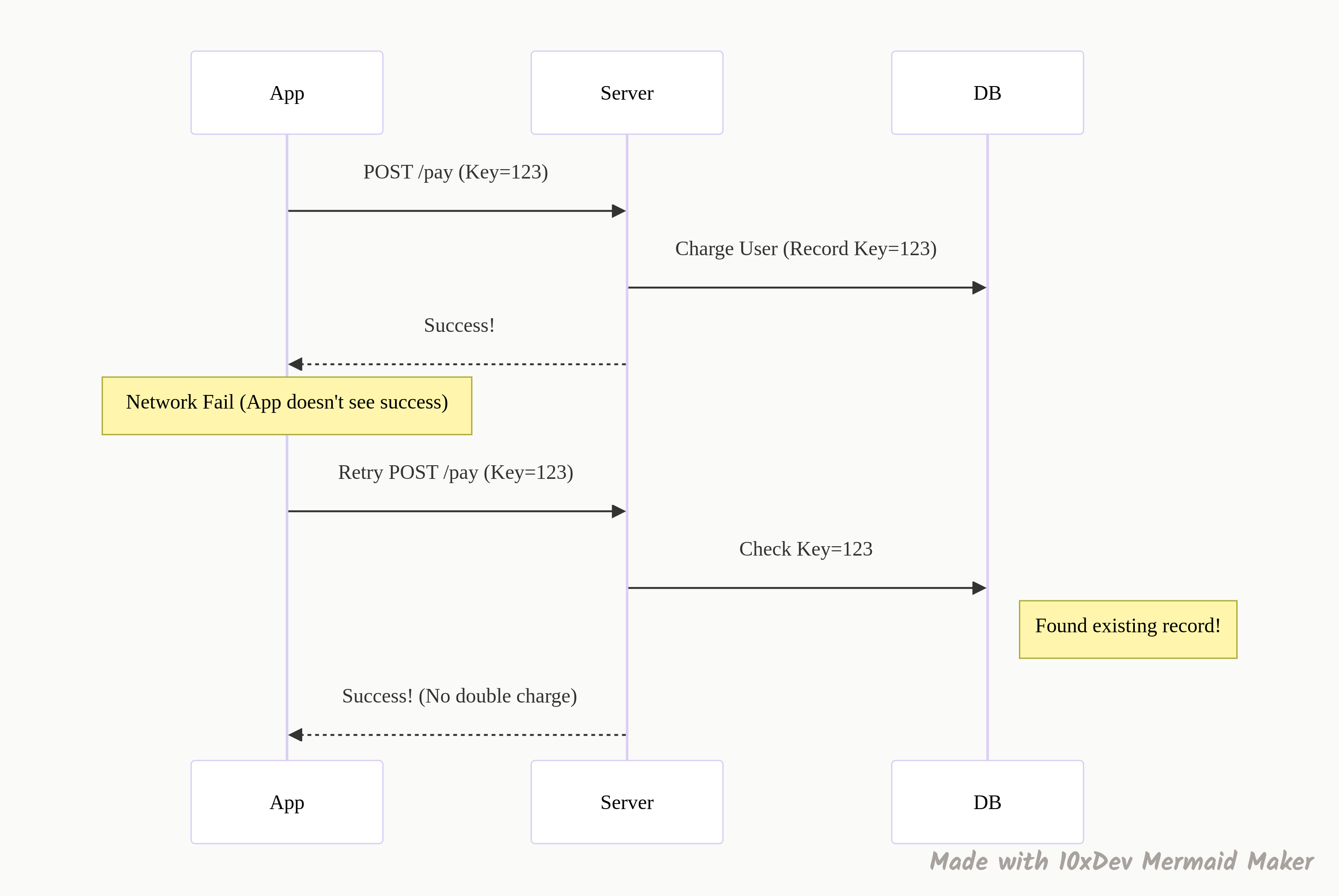
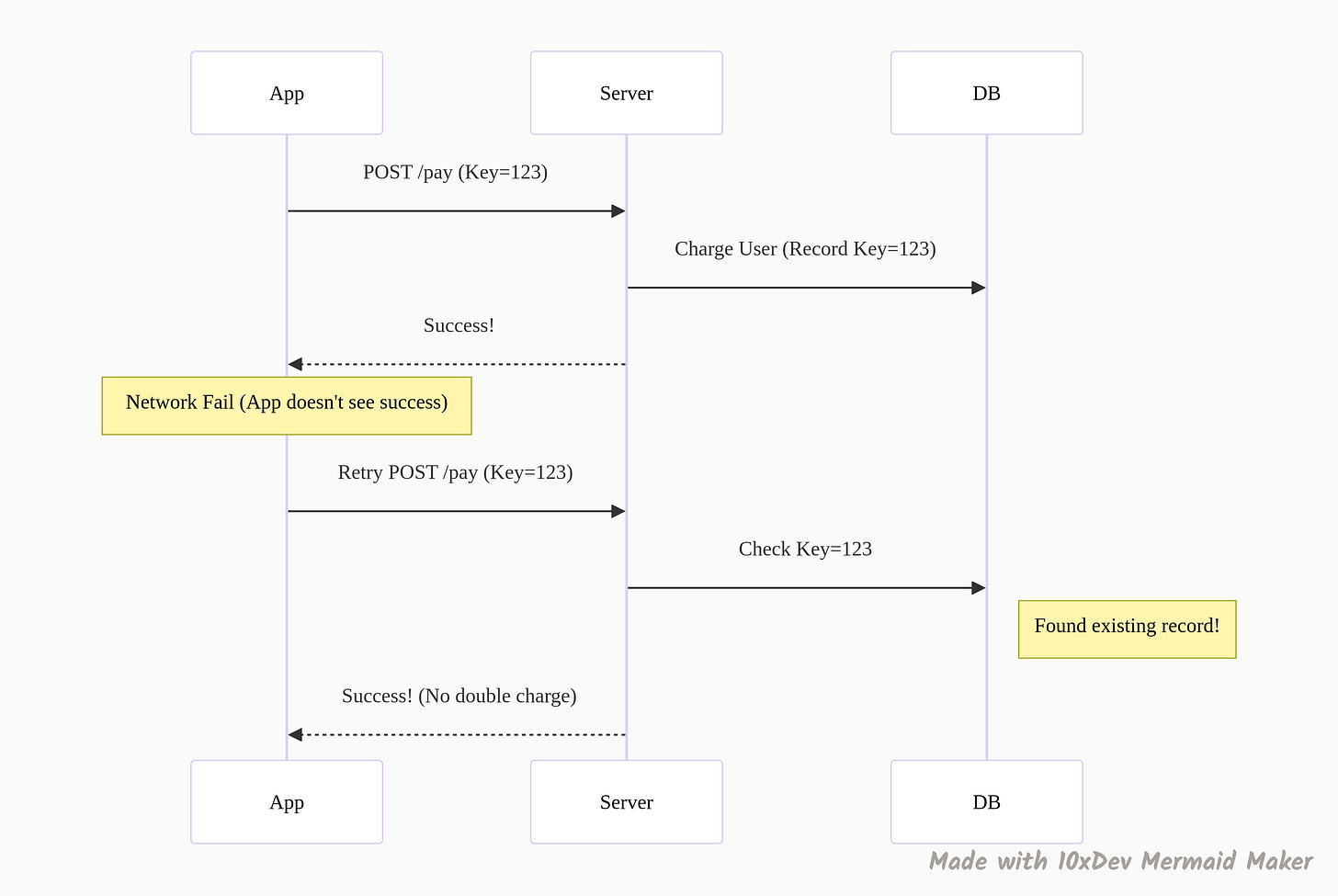
This is the concept I messed up in that interview. Idempotency guarantees that if you make the same request multiple times, the result is the same as if you made it once.
Why it saves you:
A user is on a shaky subway connection. They hit “Pay Now.” The request goes through, but the confirmation response gets lost. The user panics and hits “Pay Now” again.
-
Without Idempotency: You just charged them twice. Support ticket incoming.
-
With Idempotency: The server sees the same “Idempotency Key” (a unique ID for that transaction), realizes it already processed this payment, and just returns the success message again without charging the card.
10. Timeouts
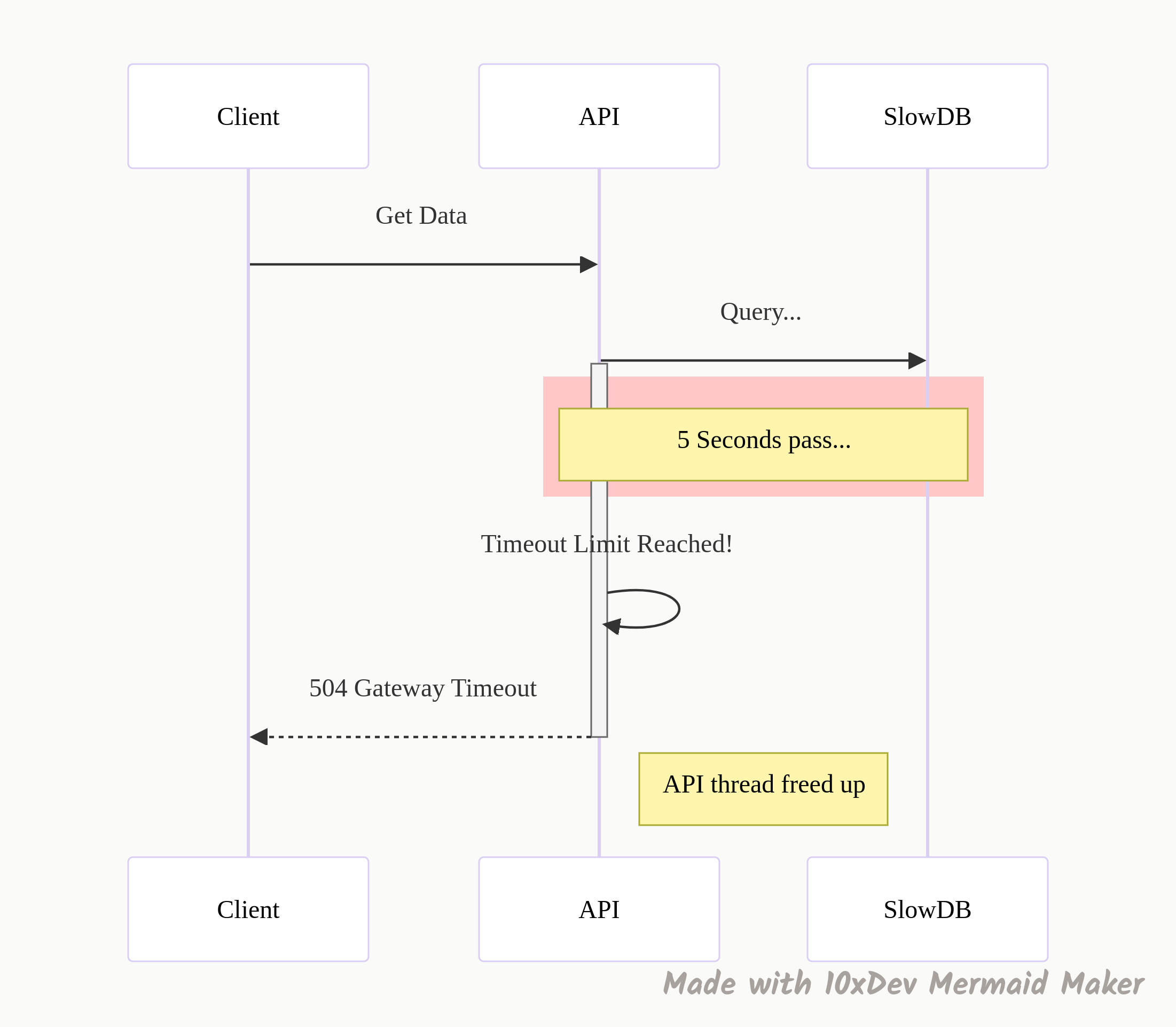
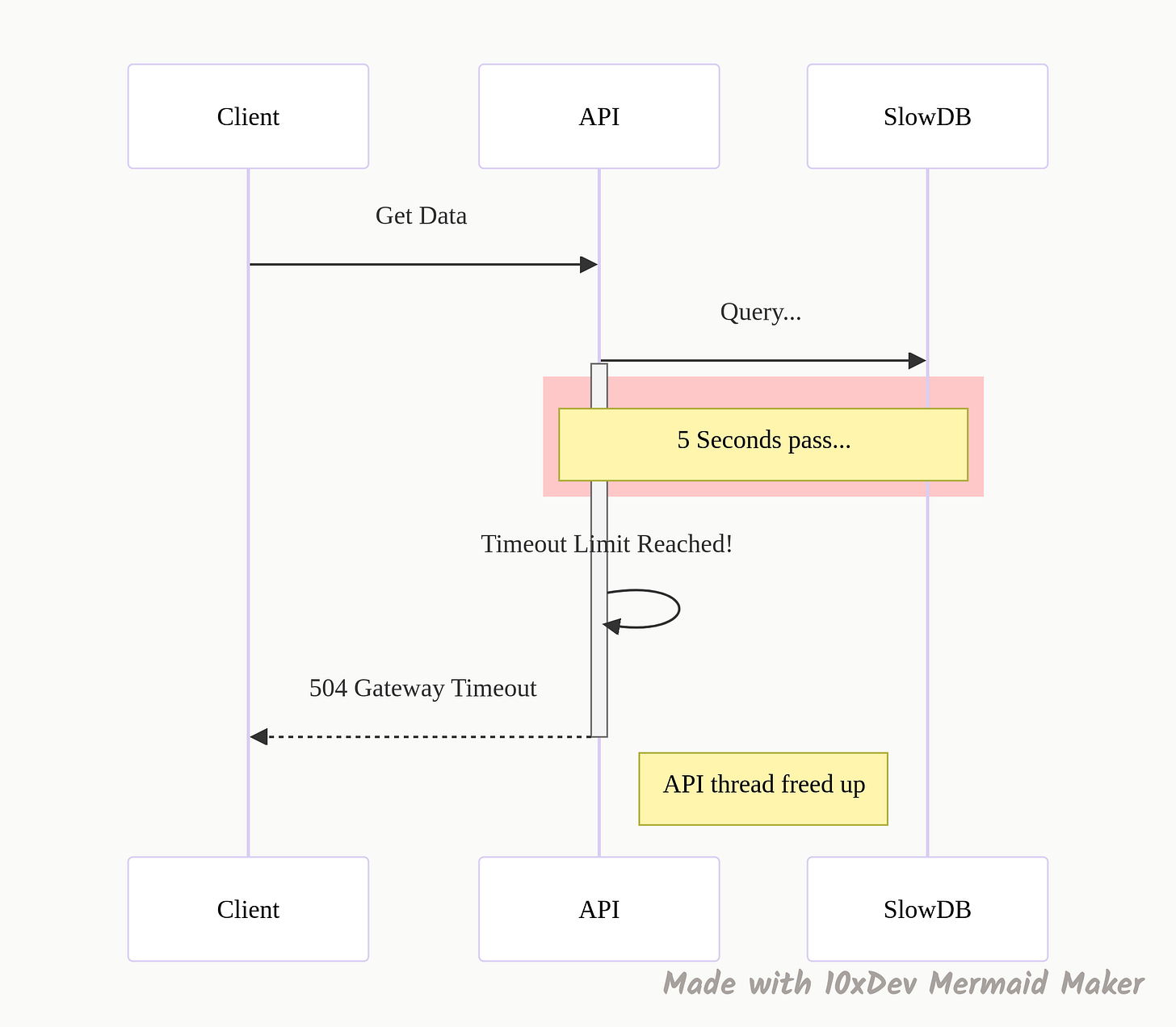
Never let a request wait forever. A “timeout” is a rule that says, “If this database doesn’t answer in 2 seconds, give up.”
If you don’t have timeouts, a slow service can cause a pile-up. One stuck request becomes ten, then a thousand, and suddenly your whole system runs out of threads and crashes. Timeouts free up resources so the rest of the system stays alive.
11. Caching Headers
The fastest request is the one you don’t have to make. Caching headers tell the client (or a proxy) how long they can keep a copy of the data.
If you send Cache-Control: max-age=3600, you are telling the browser, “This data is good for an hour. Don’t bother asking me for it again until then.” This drastically reduces the load on your servers and makes the app feel instant for the user.
12. Pagination
You have 50,000 products in your database. If someone hits GET /products, and you try to return all of them at once, your server will choke, and the user’s browser will crash trying to render it.
Pagination breaks that data into chunks (pages). You send the first 20 items. If they want more, they ask for page 2. It saves memory and bandwidth.
The Mechanics: Speaking the Language
Finally, let’s look at the nuts and bolts of the data exchange.
13. JSON (JavaScript Object Notation)
XML used to be the king, but JSON took the throne because it is readable by humans. It stores data in key-value pairs: {”id”: 1, “name”: “Alex”}.
It is lightweight, parses easily in every major programming language, and is the default response format for almost every modern API.
14. HTTP Status Codes
These are the traffic lights of the web. They tell the client instantly what happened, so they don’t have to parse the body of the response to guess.
-
200s (Success): “We’re good.” (200 OK, 201 Created).
-
400s (Client Error): “You messed up.” (400 Bad Request, 401 Unauthenticated, 404 Not Found).
-
500s (Server Error): “I messed up.” (500 Internal Server Error).
15. Webhooks
Most APIs are “poll” based—you keep asking, “Is there new data?”
Webhooks flip this. They are “push” based. You tell the server, “Here is my URL. Call me when something happens.”
Example:
Stripe (payments) uses this heavily. Instead of your server asking Stripe every second “Did the user pay yet?”, Stripe sends a message to your webhook URL the moment the payment succeeds. It makes systems real-time and event-driven.
16. Versioning
You built a great API. Now you need to change it. But if you change the data structure, you will break the mobile app that people haven’t updated yet.
Versioning solves this. you keep v1 running for the old apps while you launch v2 for the new ones.
-
v1: Returns just a name.
-
v2: Returns name, photo, and bio.
It allows you to improve your system without breaking the experience for legacy users.
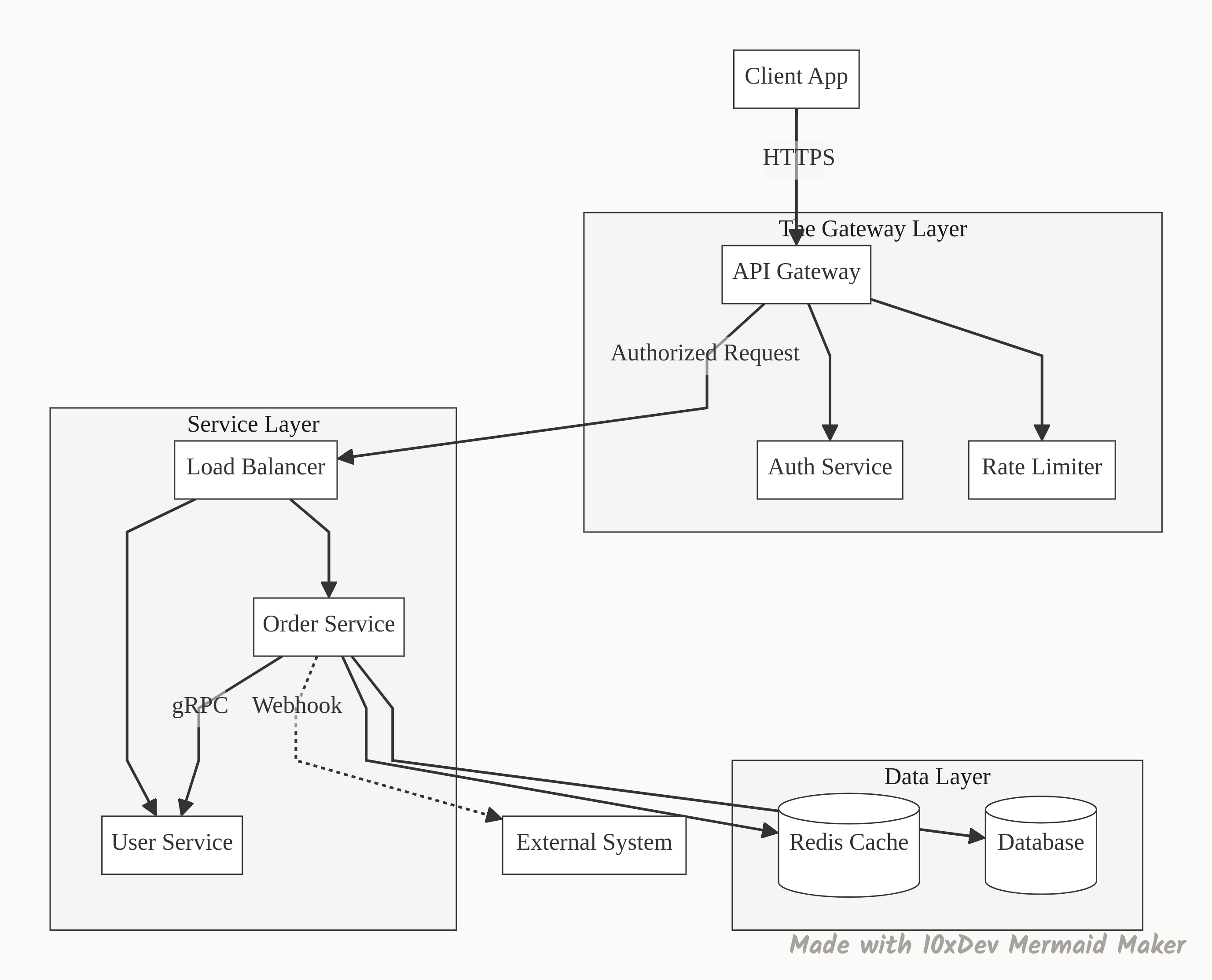
The Big Picture: How It All Connects
Now that we have the pieces, here is what a modern system actually looks like when you put them together.
So, what’s the next move?
These concepts are the building blocks. You don’t need to implement all of them tomorrow, but you do need to spot them when you see them.
Here is a challenge for you: Open up the “Network” tab in your browser right now (F12) and refresh this page. Look at the API calls. Can you spot the Status Codes? Do you see any Caching Headers? Are they using GraphQL or REST?
Once you start looking, you’ll see these patterns everywhere.
Thanks for reading!
Bou~codes and Naima from 10xdev blog.
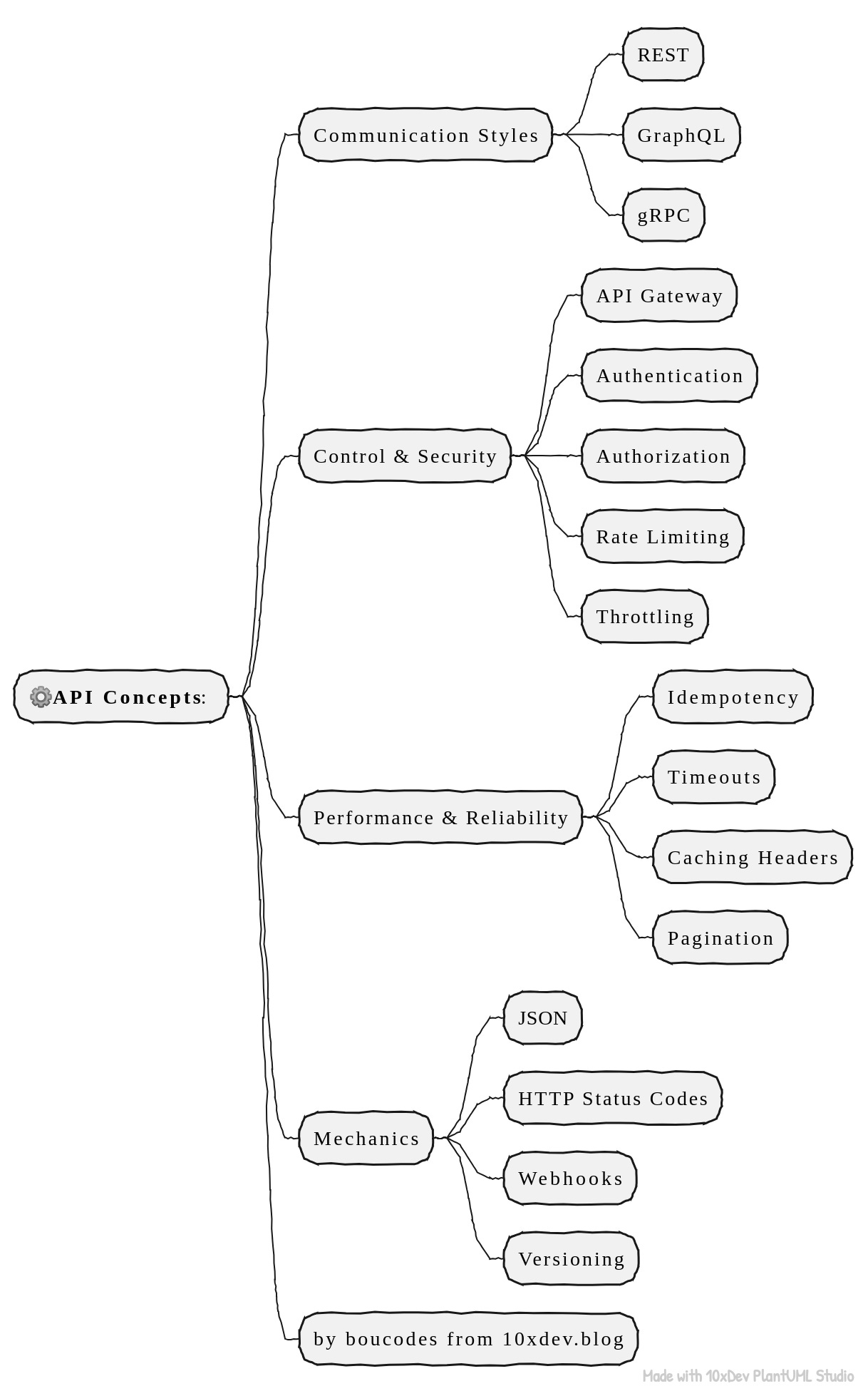
This is a diagram to help you remember all those 16 concepts: